- Acelab
Acelab is a building product research and specification platform for architecture and construction teams that centralizes firm material
- Agile Form
Agile Form sells desktop plugins for Autodesk Revit, SketchUp, and AutoCAD that automate sun and shadow studies, sun exposure checks, and
- Argyle
Argyle is an augmented-reality field platform from Argyle Build Inc. that aligns federated BIM geometry with real-world jobsites on HoloLens
- Arkio
Arkio is a cross-platform XR and desktop collaboration app for AEC that imports models from Revit, Rhino, SketchUp, Archicad, and Navisworks
- Augmenta
Augmenta is a cloud platform that plugs into Autodesk Revit to auto-route overhead electrical conduit from schedules and routing boxes,
- Autotag by Bimrock AI
Autotag by Bimrock AI is a Revit add-in for MEP documentation that applies saved tagging profiles across views with overlap-aware placement
- AVAIL for Revit
AVAIL for Revit is a Revit-integrated content library system that helps AEC teams search, preview, and place approved BIM content with
- BAMDOC by Vavetek
A Vavetek AI BIM plugin for mechanical, electrical, plumbing, and structural clash detection, BAMDOC focuses on automated checks,
- BAMROC by Vavetek
Short for BIM Automatic Modular Resolver of Clashes, BAMROC is Vavetek's cloud AI copilot that ingests coordinated clash data from a
- Bento by EvolveLAB
Bento by EvolveLAB is a free collection of Revit add-ins for Windows that bundles practical helpers such as view renumbering, point cloud
- BIMLOGIQ Copilot
BIMLOGIQ Copilot is a generative AI Revit add-in that lets AEC teams drive modeling, documentation, and parameter work through
- BIMsmith
BIMsmith is a free web platform for AEC teams that combines BIMsmith Market (search and download of manufacturer Revit, AutoCAD, and
- BIM Track
BIM Track is a web-first BIM coordination and issue-tracking module inside the Newforma Konekt platform, with desktop add-ins so teams can
- BIMvision
BIMvision is a freeware Windows IFC viewer from Datacomp that opens IFC2x3 and IFC4 building models with a built-in measurement and cutting
- Bird Tools - Clash Preventor
Bird Tools Clash Preventor is a Revit add-in that detects clashes in real time while you model, running asynchronously in the background
- Bonsai
Bonsai is a free, open source Blender add-on that acts as a native IFC authoring environment for OpenBIM, so teams can view, edit, and
- cove.tool
cove.tool is a cloud building-performance platform centered on analysis.tool that combines early energy, daylight, carbon, and cost studies
- CRDR BIM by Vavetek
A Navisworks add-on from Vavetek AI, CRDR BIM produces Clash Resolution Diagnosis Reports that compare before-and-after models, group
- Designbotic
Designbotic is a Revit-focused plugin and custom software studio for architecture and engineering teams that automates terrain import,
- dRofus
dRofus is a building lifecycle data platform for owners, designers, and contractors that keeps room programs, equipment registers, and model
- D.TO (Design Together)
D.TO (Design Together) is a Revit-integrated design platform that delivers AI-assisted building assembly guidance, construction detailing,
- Dynamo
Dynamo is an open-source visual programming platform that wires nodes into graphs so AEC teams can automate geometry, parameters, and data
- ElectroBIM
ElectroBIM is a Design Master Revit add-in for electrical engineers that creates one-line riser diagrams and performs voltage drop, fault
- Enscape
Enscape is a Chaos real-time visualization and VR plugin for leading BIM and CAD hosts that renders live inside your open model so you can
- FieldPrint Platform by Dusty Robotics
FieldPrint Platform by Dusty Robotics is a field layout system that combines Revit and AutoCAD plugins, a cloud portal, a FieldPrinter
- Finch
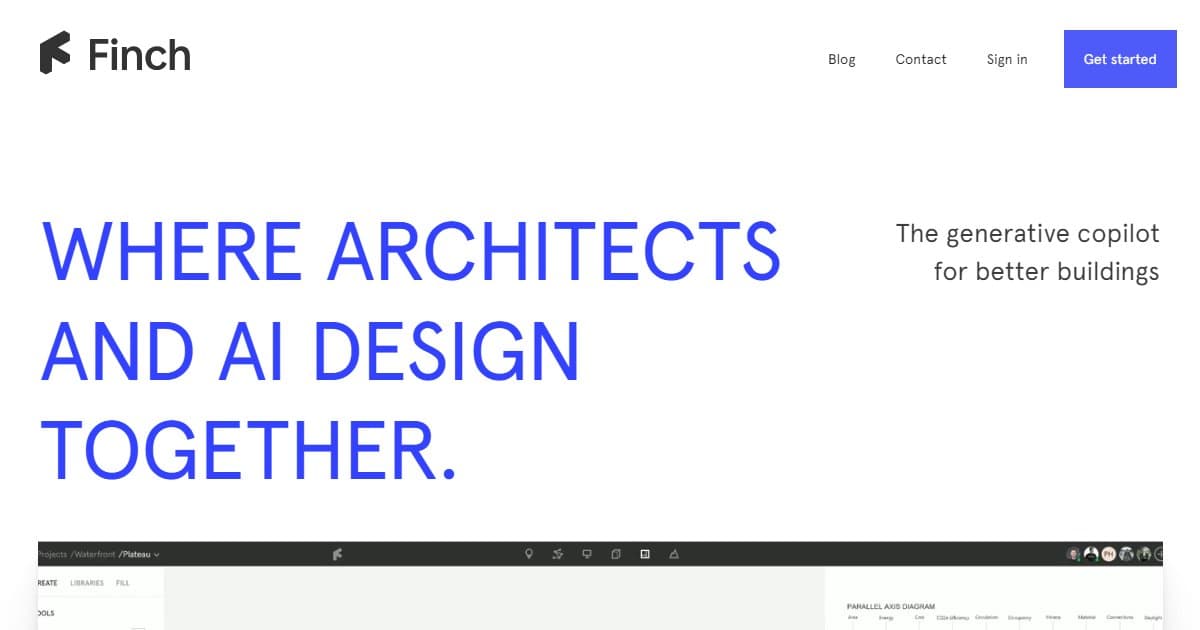
Finch is a generative design copilot for architects that pairs AI-assisted massing and unit planning with quick performance feedback, rule
- Geometry Gym
Geometry Gym is a family of Rhino, Grasshopper, Revit, Tekla, Navisworks, and structural-analysis add-ons focused on openBIM IFC exchange,
- Glyph by EvolveLAB
Glyph by EvolveLAB is a Revit plugin that automates documentation production (views, sheets, tagging, and dimensioning) so teams can run
- Grasshopper
Grasshopper is a visual algorithm editor bundled with Rhinoceros that lets designers build parametric logic graphs for complex geometry
- hsbcad
hsbcad is offsite construction software that adds timber framing, detailing, BIM, CNC, manufacturing, and assembly workflows to Autodesk
- HVAKR
HVAKR is a cloud-based HVAC design platform with a Revit extension that covers basis-of-design, space takeoffs, load calculations compliant
- Ideate BIMLink
Ideate BIMLink is an Autodesk Revit add-in from Ideate Software that round-trips model and schedule data through Microsoft Excel so teams
- Kestrel by Kestrel Labs
Kestrel by Kestrel Labs is a BIM-native building code compliance platform that runs inside Autodesk Revit, flagging jurisdiction-specific
- Ladybug Tools
Ladybug Tools is a free, open-source plugin suite for Grasshopper and Rhino that wires climate files, daylight engines such as Radiance, and
- LightStanza
LightStanza is a cloud-based daylight and lighting analysis platform that uses the validated Radiance engine to deliver fast, accurate
- Lumion
Lumion is a Windows-centric real-time visualization platform that pairs LiveSync plugins for Revit, SketchUp, Archicad, and Rhino with
- MagiCAD Circuit Designer
MagiCAD Circuit Designer is a MagiCAD module for AutoCAD and BricsCAD that builds logical or wiring-first electrical circuits, keeps
- MagiCAD Sprinkler Designer
MagiCAD Sprinkler Designer is a MagiCAD add-on for Revit, AutoCAD, and BricsCAD that merges sprinkler layout with built-in hydraulic
- MEPcontent
MEPcontent is a manufacturer-focused BIM content library and in-application integration platform that helps mechanical, electrical, and
- MetricMonkey
MetricMonkey is a Windows desktop feasibility and massing toolkit built on Rhino 7 and Grasshopper that automates building extrusions,
- Morphis by EvolveLAB
Morphis by EvolveLAB is a generative design add-in for Revit that explores layout options in real time from rooms and loadable families so
- Naviate for Revit by Symetri
Naviate for Revit by Symetri is a modular Revit add-in family that adds discipline-specific automation, batch documentation, IFC-oriented
- OpenStudio
OpenStudio is an open-source building energy modeling platform that wraps EnergyPlus and Radiance with a graphical application, SDK, and
- Pirros
Pirros is a cloud detail library platform for AEC teams that indexes Revit details and families with search, metadata, and a Revit add-in so
- PointFuse
PointFuse is legacy reality-capture desktop software that turns registered point clouds into classified mesh geometry for BIM and CAD
- Pollination
Pollination is a building performance simulation platform that exports valid energy model geometry from Revit and Rhino to EnergyPlus,
- pyRevit
pyRevit is an open-source rapid application development environment for Autodesk Revit that bundles free ribbon tools, Python and .NET
- Qnect
Qnect is a steel-connection software line that pairs a cloud QuickQnect service for Tekla Structures with an Autodesk Revit add-in so
- Reer
Reer is an in-host AI assistant for CAD workflows that connects creative teams to AI inside applications such as Rhino, Blender, SketchUp,
- ReMark
ReMark is a free Autodesk Revit add-in by LezSoft that assigns progressive values to the Mark parameter across selected categories, with
- RISA-Revit Link
RISA-Revit Link is a bi-directional integration between Autodesk Revit and RISA structural analysis products (RISA-3D, RISAFloor,
- RTV Xporter
RTV Xporter is a Revit add-in that automates batch printing and file export to PDF, DWG, DWF, DWFx, DXF, and IFC, with parametric file
- SketchPro Copilot
SketchPro Copilot is a Revit-embedded AI assistant that helps architects and engineers produce construction documentation through guided
- SOFiSTiK
SOFiSTiK is a structural engineering and BIM software family from Germany that ties finite element analysis, member design, reinforcement
- That Open Engine
That Open Engine (Open BIM Components) is a free MIT-licensed JavaScript toolkit that layers IFC import, editing, navigation, and export on
- Treble Web Application
Treble Web Application is browser-based acoustic simulation software that couples wave-based and geometrical solvers so architects and
- UNIFI for Revit
UNIFI for Revit is a cloud BIM content management platform that combines metadata-driven libraries with desktop add-ins so teams can search,
- Veras by EvolveLAB
Veras is an AI visualization plugin and web app by EvolveLAB (Chaos) that generates design renders from SketchUp, Revit, Rhino, Forma,
- Vertico
Vertico is a concrete 3D printing supplier that pairs six-axis robotic gantries, printheads, pumps, and control software including Vertico
- VisualARQ
A Rhinoceros add-on for architectural BIM, VisualARQ adds parametric building objects, live 2D documentation from the model, quantity
- Wallacei
Wallacei is a Grasshopper plugin for Rhinoceros that adds evolutionary multi-objective optimization, simulation coupling, and analytic