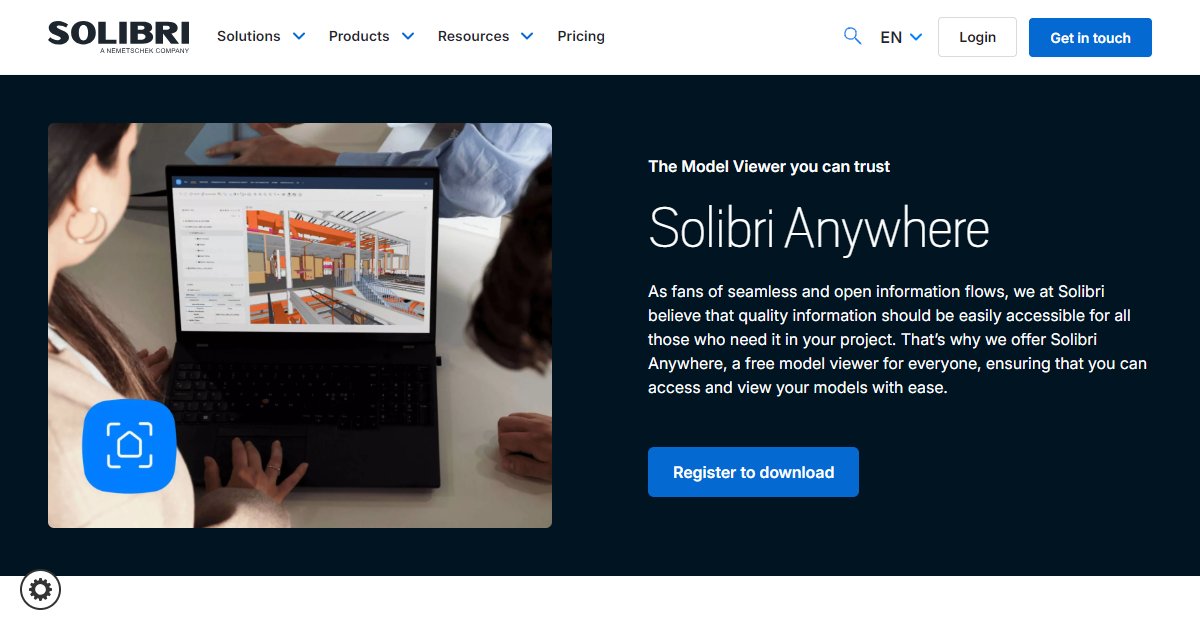
Solibri Anywhere
Solibri Anywhere is a no-cost Solibri model viewer for stakeholders who need read-focused access to BIM data on site or in meetings, with registration-based download, optional information takeoffs, and classifications for communicating scope without the full checking stack.

Solibri Anywhere is positioned as the free entry point to Solibri???s ecosystem for people who must see coordinated models yet do not need authoring or deep rule development (Solibri, 2025). Marketing copy stresses open information access so field staff, owners, and managers can share current digital twins instead of relying on static extracts alone.
Functional messaging highlights viewing up-to-date models, sharing them among designers and builders, and using predefined takeoffs or classifications to discuss quantities and scope during construction (Solibri, 2025). Another section focuses on subcontractors who need filtered views tied to individual tasks so they are not overwhelmed by unrelated disciplines.
Distribution is download-based: visitors register on Solibris download page, confirm email, and follow instructions to obtain the installer under the published license terms (Solibri, 2025). That flow implies account creation and acceptance of Solibris end-user agreement rather than anonymous use.
Because Anywhere is free, it pairs commercially with paid Solibri products such as Office or CheckPoint when teams need full checking, automation, or cloud governance (Solibri, 2025). Treat Anywhere as a viewer and communication layer, not a replacement for contractual model validation unless your contract explicitly allows it.
Specifications
Pricing
Platforms
Used for
Used by
Tasks
Pros and cons
Pros
- Lowers friction for teams that only need read access and structured metadata views.
- Aligns with Solibri???s broader QA story so downstream users see the same digital assets checked upstream.
- Free licensing helps large projects distribute viewers widely without per-seat negotiations.
Cons
- Not a full checking or authoring tool; validation still happens in paid Solibri products or other suites.
- Registration and license acceptance are required before download, which can slow emergency ad hoc installs.
- Performance and format support still depend on model size and how discipline teams publish IFC or linked content.
Key features
No-cost viewer: Positioned as a free download after registration for broad project access.
Stakeholder workflows: Aims at owners, managers, and field staff who track progress against coordinated models.
Takeoff and classification access: Describes predefined information takeoffs and classifications for lifecycle discussions.
Task-focused views: Marketing notes filtering to task-specific information for trade crews.
Download licensing: Registration form ties access to Solibri???s license and support agreement acknowledgements.
Pricing
Registered download
Contact sales
Free viewer; registration and license acceptance required per Solibri download flow.
Frequently asked questions
Is Solibri Anywhere really free?
Public pages describe Solibri Anywhere as a free model viewer obtained after registration and acceptance of Solibri???s license terms (Solibri, 2025). Read the current agreement for permitted use, redistribution limits, and support entitlements.
How do I download Solibri Anywhere?
The download page instructs users to register, confirm email, and follow the provided steps to complete access (Solibri, 2025). Keep installer packages in a managed repository if your IT team requires software approval.
What file formats does Solibri Anywhere open?
The Anywhere pages reviewed here emphasize viewing coordinated BIM information inside Solibris ecosystem rather than listing every extension inline (Solibri, 2025). Confirm IFC versions and any native formats against Solibris current compatibility tables before you promise owners a workflow.
Can Solibri Anywhere replace Solibri Office?
No. Anywhere is framed as a free viewer for access and communication, while Office remains the full checking and collaboration suite for rule-based QA (Solibri, 2025). Budget both products when teams need validation plus wide distribution.
Does Solibri Anywhere work offline?
The pages summarized here do not spell out offline behavior; Solibri publishes system guidance on its help resources (Solibri, 2025). Ask about caching, sync, and security if crews work in low-connectivity areas.
Who should install Solibri Anywhere on a project?
Marketing targets designers, managers, builders, and subcontractors who need task-specific visibility into coordinated models (Solibri, 2025). Align installation lists with your BIM execution plan so viewers match approved data drops.