VIM by ViMaec
VIM by ViMaec is a Windows-first BIM analytics and visualization platform that turns Revit, Navisworks, or IFC sources into compact VIM snapshots for fast 3D review, optional AI-assisted questioning, and, in the Enterprise track, scheduled exports into Microsoft Power BI with Azure-hosted geometry.

Heavy federated models are hard to hand to executives who will never open the native authoring tool. ViMaec's VIM line starts with a simple idea: publish a purpose-built VIM file from Revit, Navisworks, or IFC, then open that snapshot inside a desktop viewer tuned for exploration, audits, and revision compares rather than day-to-day modeling.
The public site splits the story into VIM Flex for interactive viewing and VIM Enterprise for teams that want repeatable pipelines into Power BI. Documentation states that VIM Flex targets Windows 11 with discrete Vulkan-class GPUs and at least sixteen gigabytes of memory, which signals the product is aimed at power users on engineering workstations rather than casual tablet browsing (ViMaec documentation, 2026).
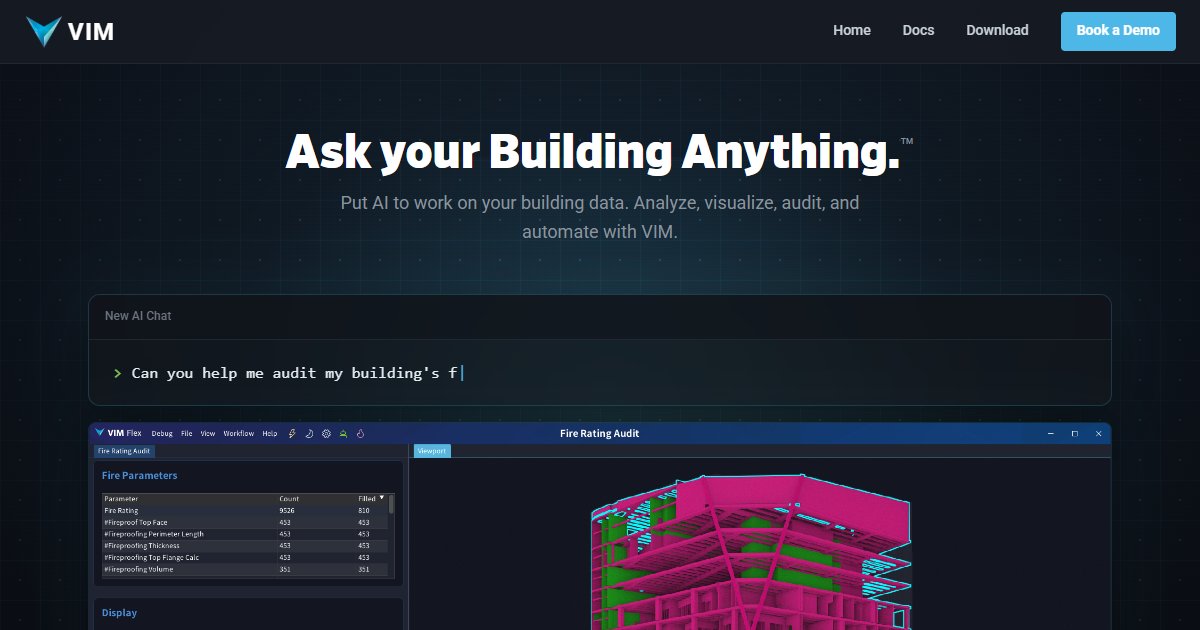
Flex workflows called out in official docs include counting elements by category or room, mesh audits that highlight overweight geometry, and a Diff workflow for adds, removes, and edits between exports. A newer angle is AI-assisted questioning and plug-in style extensions so teams can prototype checks without shipping a custom compiled add-in for every question.
Enterprise shifts the value toward scheduled conversion from ACC-hosted Revit, local Revit, Navisworks, or IFC into Parquet and mesh assets stored in your own Azure Blob Storage, then surfaced through a supplied Power BI template. Marketing copy mentions five starter projects bundled with that tier and stresses self-hosting for organizations that want custody of data outside a shared SaaS database.
Specifications
Pricing
Platforms
Used for
Used by
Tasks
Pros and cons
Pros
- Clear free entry path with Basic Flex plus free exporters according to the public plan table.
- IFC path gives openBIM-friendly ingestion alongside Revit and Navisworks exporters.
- Enterprise path documents first-party ACC, Azure, and Power BI wiring for governed environments.
- Documented hardware guidance sets honest expectations for large models.
Cons
- Windows-only Flex experience limits macOS-native teams to other workflows.
- Discrete GPU and Vulkan requirements can block thin laptops without recent graphics hardware.
- Public marketing does not list a dollar price for Flex Pro or Enterprise, so budgeting needs a sales conversation.
- Enterprise setup expects Azure literacy and Power BI ownership, which adds IT overhead.
Key features
VIM file pipeline: Exporters for Revit, Navisworks, and IFC create portable snapshots with geometry and parameters for VIM Flex.
Desktop viewer: Official docs describe VIM Flex as a Windows desktop application with light and dark themes.
Explore workflow: Count and slice elements by document, category, workset, level, room, family, and type inside exported models.
Mesh Audit: Workflow aimed at spotting over-modeled elements that inflate file weight or render cost.
Diff: Revision comparison that summarizes added, removed, and modified content between exports.
AI-assisted chat: Public positioning highlights natural-language style interaction with building data inside Flex Pro beta messaging.
VIM Enterprise: Automates scheduled conversion from ACC Revit, desktop Revit, Navisworks, or IFC into Parquet plus mesh payloads for Power BI.
Azure and Power BI: Enterprise documentation explains uploads into your Azure Storage account and use of the bundled Power BI template.
Pricing
VIM Flex Basic
per year
Free
Vendor lists this tier as free with VIM Flex, Revit exporter, Navisworks exporter, and IFC exporter on www.vimaec.com.
VIM Flex Pro (beta access)
Contact sales
Homepage markets beta access without a published list price; docs reference licensing keys for advanced workflows. Confirm current billing with ViMaec.
VIM Enterprise
Contact sales
Vendor uses Let's Chat positioning and cites five starter projects plus self-hosted Power BI automation; obtain a formal quote before budgeting.
Frequently asked questions
How much does VIM Flex or VIM Enterprise cost?
ViMaec's public pricing section lists VIM Flex Basic as free and bundles exporter plugins with that tier. VIM Flex Pro is labeled as beta access on the same page without a published dollar amount, while VIM Enterprise is presented as a conversation-based purchase with five starter projects called out in marketing copy. Treat all non-free figures as unlisted until ViMaec confirms a quote for your firm.
Does VIM run on Mac or only Windows?
Official VIM Flex documentation specifies a Windows 11 desktop target with a multi-core CPU, at least sixteen gigabytes RAM, and a discrete GPU that supports Vulkan 1.3.275 or newer. There is no macOS Flex build described in that requirements table, so Mac-heavy studios should plan on a Windows analysis machine or a different viewer path.
Which BIM sources can feed a VIM file?
ViMaec documents exporters for Autodesk Revit, Autodesk Navisworks, and IFC sources, each producing a VIM snapshot for Flex. VIM Enterprise extends the same source list with automated projects that can pull from Autodesk Construction Cloud Revit projects when configured. Merged VIM projects are also documented for combining existing exports.
What is the difference between VIM Flex and VIM Enterprise?
VIM Flex focuses on interactive desktop exploration, audits, and comparisons inside the viewer, with optional AI-assisted workflows in the Pro beta messaging. VIM Enterprise adds scheduled automation, Parquet output, uploads into your Azure Blob Storage, and a Power BI template for web-shareable 3D reports. Enterprise marketing states it includes Flex Pro capabilities while remaining self-hosted on your cloud tenancy.
How does VIM compare to keeping everything inside Navisworks alone?
Navisworks remains a coordination and aggregation hub, whereas ViMaec positions VIM as a downstream snapshot format tuned for analytics, diffing, and BI handoffs. Official copy encourages exporting coordinated content into VIM for fast exploration and Power BI joins instead of trying to host every dashboard inside the coordination session itself.
Who should evaluate VIM first inside a company?
The homepage explicitly calls out architects validating standards, contractors standardizing delivery, and developers or owners tracking progress and digital twin style sensor joins. Documentation reinforces workstation-class hardware, which usually points VIM pilots at VDC leads, computational designers, or analytics engineers who already support model QA.
Tutorials and learning
Sources
Other Visualization tools
- VrexEnterprise quote
Vrex is multi-user virtual reality collaboration software for AEC teams that turns federated BIM, CAD, and E57 point clouds into shared
- WorkLink by Scope AREnterprise quote
WorkLink by Scope AR is an enterprise augmented reality platform that lets teams author, publish, and follow spatial work instructions and
- xeokitFreemium
xeokit is a JavaScript BIM viewer SDK, maintained by xeolabs with Creoox AG support, that loads large AEC models in the browser using WebGL,
- Agile FormSubscription
Agile Form sells desktop plugins for Autodesk Revit, SketchUp, and AutoCAD that automate sun and shadow studies, sun exposure checks, and
- AKULAREnterprise quote
AKULAR is field and visualization software that brings federated BIM into augmented reality on phones, tablets, and headsets, anchored in
- ArchilogicEnterprise quote
Archilogic is a web-based spatial data platform that turns floor plans into structured 3D interior models, APIs, and SDKs so workplace, FM,
- ArcwayEnterprise quote
Arcway is a web-based real-time visualization and sales platform for production homebuilders that turns plan PDFs into interactive 3D
- ArgylePaid (trial)
Argyle is an augmented-reality field platform from Argyle Build Inc. that aligns federated BIM geometry with real-world jobsites on HoloLens