MagiCAD Room
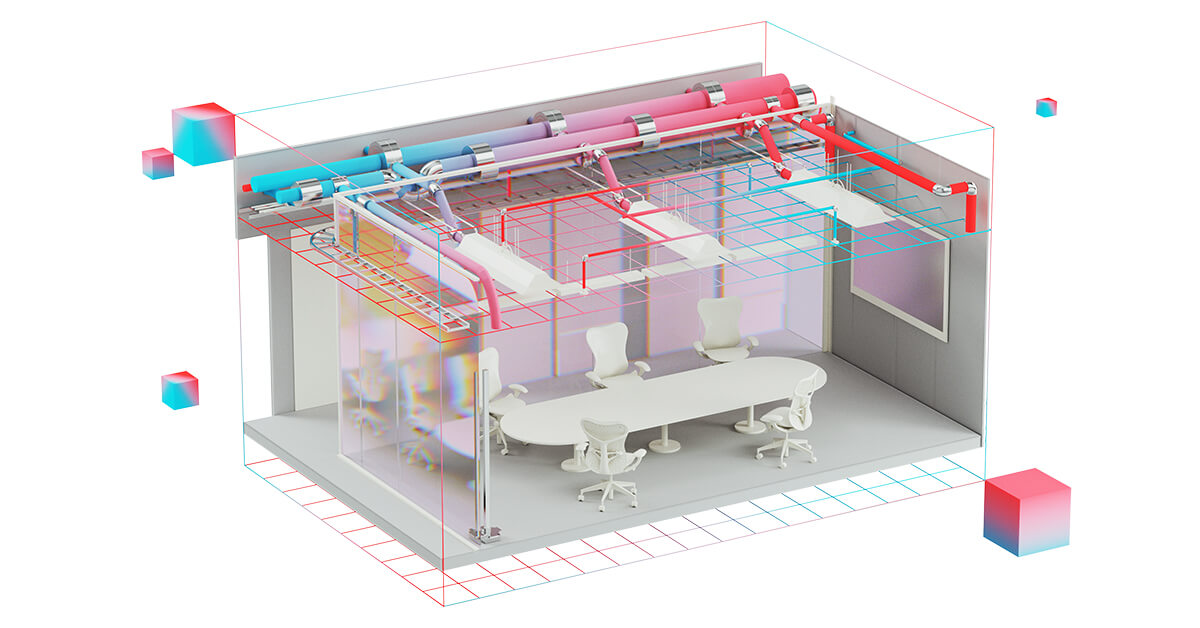
MagiCAD Room is an AutoCAD and BricsCAD module for creating 3D building models with rooms and spaces that include heating power and airflow data, serving as the geometric foundation for MEP design and energy simulation with MagiCAD Comfort and Energy.

Before mechanical systems can be sized, designers need a building model with rooms, spaces, and the thermal properties that drive load calculations. MagiCAD Room fills that gap for teams working in AutoCAD or BricsCAD by generating 3D building geometry where walls and windows carry U-value data and spaces store required heating power and airflow parameters (MagiCAD, 2026).
The module imports IFC files from architectural models so the building shell does not need to be redrawn when the architect works in a different platform. It also exports IFC with space information, giving downstream disciplines access to room-level data for coordination. These IFC workflows matter on projects where the architectural model originates outside the MagiCAD stack (MagiCAD, 2026).
Integrated calculations use wall U-values, window properties, and accurate geometry to compute required heating power per space or for the entire building. That data feeds directly into device selection for piping and ventilation design in other MagiCAD modules. When paired with MagiCAD Comfort and Energy, the building model also drives RIUSKA energy simulation, which performs hourly DOE 2.1E-based calculations for annual energy consumption and thermal comfort (MagiCAD, 2026).
MagiCAD 2026 brought an improved floor preview for faster room selection and a 3D Object Viewer for inspecting Room elements via right-click. Licensing follows the same quote-based model as other MagiCAD modules, with perpetual and subscription options.
Specifications
Pricing
Platforms
Used for
Used by
Tasks
Pros and cons
Pros
- Bridges the gap between architectural geometry and mechanical system sizing.
- IFC import and export support openBIM coordination with non-MagiCAD architectural tools.
- Integrated U-value and heating calculations reduce spreadsheet-based workarounds.
- Works in both AutoCAD and BricsCAD for teams that do not author in Revit.
- Connects directly to Comfort and Energy for DOE 2.1E-based simulation.
Cons
- Not a full architectural BIM modeler; limited to building shell and space definitions for MEP.
- Available only on AutoCAD and BricsCAD; not available for Revit.
- Comfort and Energy simulation requires a separate module license.
- Pricing is quote-based; no public list prices published.
Key features
3D building shell: Models buildings with rooms, spaces, walls, and windows that carry thermal properties for MEP inputs.
Heating power calculations: Computes required heating power per space or for the whole building using wall U-values and window geometry.
Airflow data per space: Stores required airflow parameters that feed ventilation and piping system design in other MagiCAD modules.
IFC import: Brings architectural IFC models into the design environment so the building shell does not need redrawing.
IFC export with spaces: Exports building geometry and room-level space data for downstream coordination.
Comfort and Energy integration: Connects to RIUSKA simulation (DOE 2.1E-based) for hourly energy consumption analysis and thermal comfort studies.
U-value and geometry data: Walls and windows include U-values and accurate dimensions for volume, area, and heat-loss calculations.
Improved floor preview: MagiCAD 2026 added better floor overview for faster room selection.
3D Object Viewer: Right-click to examine Room elements in a 3D preview (MagiCAD 2026 UR-2).
MagiCAD Cloud access: Pulls manufacturer BIM objects for downstream MEP detailing.
Pricing
Perpetual License (stand-alone or network)
Contact sales
Quote-based. Maintenance available for ongoing updates. Contact MagiCAD sales (MagiCAD, 2026).
Subscription (3-36 month terms)
Contact sales
Available in 3, 6, 12, 24, and 36-month terms. Contact MagiCAD sales for pricing (MagiCAD, 2026).
Frequently asked questions
What is MagiCAD Room used for?
MagiCAD Room creates 3D building models with rooms and spaces in AutoCAD or BricsCAD. Each space stores heating power and airflow data that feeds into MEP system design and energy simulation in other MagiCAD modules.
Does MagiCAD Room work in Revit?
No. MagiCAD Room is available only for AutoCAD and BricsCAD. Revit users working with MagiCAD typically model the building shell in Revit directly.
Can MagiCAD Room import IFC files from other BIM tools?
Yes. The module imports architectural IFC models so designers do not need to redraw the building when the architect uses a different platform.
How does MagiCAD Room connect to energy simulation?
MagiCAD Room provides the building geometry and space data for MagiCAD Comfort and Energy, which uses the RIUSKA simulation engine (DOE 2.1E-based) for hourly energy consumption, heating and cooling loads, and thermal comfort analysis.
Does MagiCAD Room calculate heating loads?
It calculates required heating power per space and for the entire building using wall U-values, window properties, and geometry data. Full energy simulation requires the separate Comfort and Energy module.
How much does MagiCAD Room cost?
Pricing is quote-based. MagiCAD offers perpetual licenses (stand-alone or network) and subscription terms from 3 to 36 months. Contact MagiCAD sales for a quotation.
What changed in MagiCAD Room for 2026?
MagiCAD 2026 added an improved floor preview for faster room selection and a 3D Object Viewer for inspecting Room elements via the right-click menu.
Tutorials and learning
Sources
Other Modeling tools
Naviate for Revit by Symetri is a modular Revit add-in family that adds discipline-specific automation, batch documentation, IFC-oriented
OpenBuildings Designer is Bentley Systems multidiscipline BIM authoring software that combines architectural, mechanical, electrical, and
- QonicFreemium
Qonic is a cloud-native BIM modeling and coordination platform that uses an IFC-centric model in the browser with optional desktop and
- ReerPaid
Reer is an in-host AI assistant for CAD workflows that connects creative teams to AI inside applications such as Rhino, Blender, SketchUp,
- RhinocerosPaid (trial)
Rhinoceros is a NURBS-based 3D modeler from McNeel with Grasshopper visual scripting, widely used in architecture and fabrication for
- SDS2Enterprise quote
SDS2 is a steel detailing and BIM software suite that automates 3D structural modeling, intelligent connection design, and fabrication-ready
- SketchUpPaid
SketchUp is a Trimble 3D modeling platform for architecture and design that pairs fast conceptual modeling with LayOut documentation, an
- SnaptrudeFreemium
Snaptrude is a web-based early-design and BIM workspace that keeps space programs, diagrams, and 3D massing in one live-linked model and