Reer
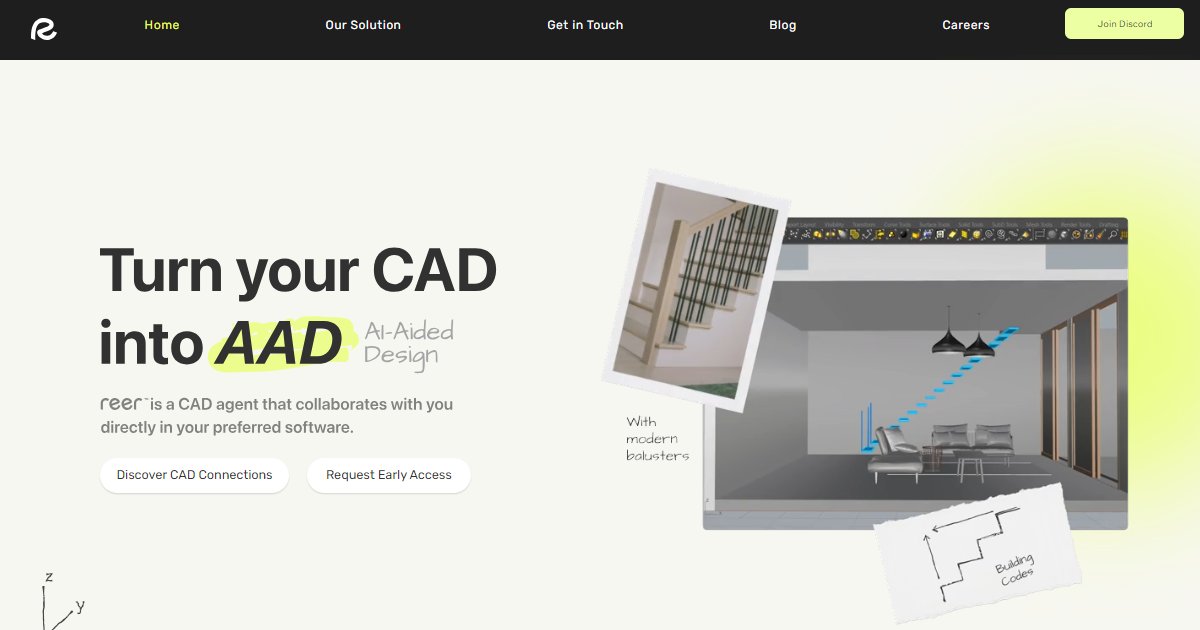
Reer is an in-host AI assistant for CAD workflows that connects creative teams to AI inside applications such as Rhino, Blender, SketchUp, Autodesk Revit, and Fusion 360 so repetitive modeling and data tasks can be handled without leaving familiar tools.

Rather than replacing desktop authoring apps, Reer targets collaboration between designers and AI inside the software they already use, with messaging that emphasizes control and co-creation instead of full auto-generation (Reer, 2025). The public site lists support ambitions across several modeling platforms and frames the assistant as a partner that can take on grunt work while humans steer design intent.
On its homepage, Reer states that more than 60% of CAD work is not creative, and positions AI as a way to hand off tedious repetition so people can stay focused on exploration and refinement (Reer, 2025). That narrative pairs with short user-style quotes about prep work, iteration speed, and trust boundaries for mission-critical geometry.
A separate solution area describes open CAD integrations built around the Model Context Protocol, points to community MCP servers for tools such as Blender, Revit, and Rhino, and previews a Rhino-oriented agent as in development while inviting early interest (Reer, 2025). That page also states intent to keep Reer CAD integrations open source and to welcome collaboration from the wider CAD developer community.
Availability is staged around early access: visitors can join a waitlist and the vendor links out to a short survey plus a hosted demo video rather than a self-serve public download (Reer, 2025). Pricing is not published on the main marketing pages reviewed for this listing, so treat costs as vendor-confirmed before budgeting.
Specifications
Pricing
Platforms
Used for
Used by
Tasks
Pros and cons
Pros
- Speaks directly to hands-on CAD users who want AI inside native tools instead of only in separate chat apps.
- Clear early-access funnel with demo media and a waitlist for teams evaluating risk before rollout.
- Solution content acknowledges an MCP-based integration story for readers who already run AI clients beside CAD.
Cons
- No public price or license table on the primary pages summarized here; expect sales or waitlist updates for commercial terms.
- Feature maturity varies by host; some integrations read as roadmap or community-sourced rather than a single uniform install.
- Heavy reliance on evolving AI and MCP client ecosystems, which can shift requirements as vendors update policies and APIs.
Key features
In-host CAD focus: Positions the assistant inside existing desktop modeling tools instead of treating CAD as an export-only step.
Multi-tool footprint: Public copy references Rhino, Blender, SketchUp, Revit, Fusion 360, and room for additional hosts over time.
Co-creation framing: Markets AI as a collaborator for repetitive tasks while the designer keeps authority over outcomes.
MCP ecosystem page: Describes Model Context Protocol bridges and community servers for several CAD products plus a forthcoming Rhino agent (Reer, 2025).
Early access path: Waitlist, survey, and demo video links rather than instant self-service checkout on the main site.
Pricing
Early access (vendor quoted)
Contact sales
Public marketing pages reviewed for this listing did not show a list price; confirm current terms on https://www.reer.co/ before purchase.
Frequently asked questions
Is Reer free?
The main marketing site promotes early access and a waitlist rather than a free self-serve tier with published limits (Reer, 2025). Because list pricing is not shown on those pages, ask Reer directly or complete their survey flow for current commercial options.
Which CAD applications does Reer work with?
Homepage messaging names Rhino, Blender, SketchUp, Revit, Fusion 360, and suggests more hosts over time (Reer, 2025). The solution section also discusses MCP-related integrations for several other modeling products and points readers to referenced community repositories for specific hosts.
What is Reer's Model Context Protocol content about?
The solution page explains an MCP-centered view of CAD connections, lists example server projects for various tools, and describes a Rhino agent as on the way while inviting readers to follow announcements (Reer, 2025). It also states that Reer intends its CAD integrations to be open source.
How can I watch a Reer demo?
The homepage links to an embedded YouTube demo identified in site navigation as Watch Demo, which is the quickest vendor-hosted walkthrough to review before joining a waitlist (Reer, 2025). Pair that with the solution page if you care about MCP integration details.
Does Reer replace my CAD software?
Vendor copy stresses collaboration inside existing applications and explicitly rejects a simple replacement narrative, instead pitching AI that amplifies current workflows (Reer, 2025). Expect to keep your core licenses and use Reer as an assistant layer once access is granted.
Where can I get Reer support or community updates?
The marketing header promotes a Discord join link for community conversation alongside standard contact paths (Reer, 2025). For formal agreements or enterprise questions, use the vendor contact and waitlist forms rather than relying only on informal channels.