Beam by Trybeam
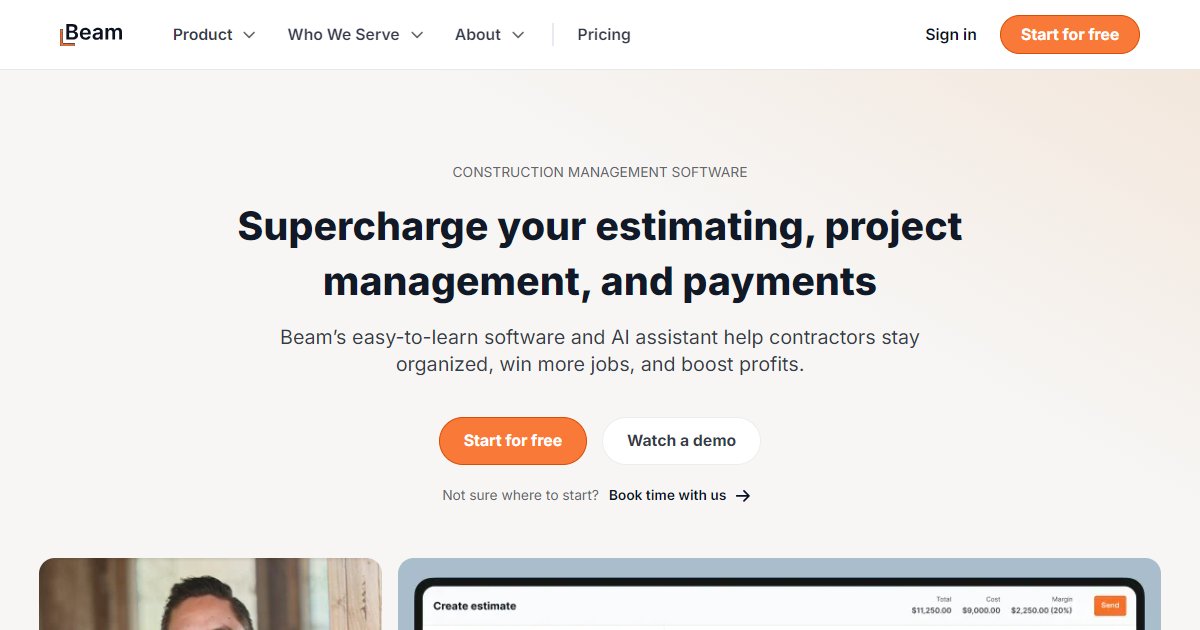
Beam by Trybeam is cloud-based construction finance and operations software for small and midsized contractors that combines AI-assisted estimating and proposals with invoicing, job costing, payments, and QuickBooks Online sync.

Beam targets contractors who outgrow spreadsheets but still need proposals, billing, and job cost visibility in one system. The vendor markets AI help inside estimating and scheduling workflows, digital signatures for approvals, and client portal updates so owners see invoices, change orders, and payment status without chasing email threads.
Financial operations are central: online invoicing, change order tracking, bill payment, expense cards, lien waivers, and estimate-versus-actual job costing appear in the public product map. A two-way QuickBooks Online sync is advertised to cut duplicate entry between accounting and field systems.
Public pricing lists a $0 per month Core tier, a Plus tier at $200 per month when billed monthly, a Scale tier at $400 per month when billed monthly, and Enterprise as sales-led; annual billing advertises a 20% discount compared with month-to-month on the pricing page reviewed here (Trybeam, 2026).
Customer stories on the Beam site cite measurable outcomes such as Integrum Construction saving more than 20 hours per month and Baytek increasing sales by about 20%, which are directional claims from named references rather than third-party benchmarks (Trybeam, 2026).
Specifications
Pricing
Platforms
Used for
Used by
Tasks
Pros and cons
Pros
- Published free Core tier plus stepped paid plans with clear per-month numbers.
- Broad coverage from proposals through payments and job costing in one vendor stack.
- AI features called out for estimating and scheduling on the marketing site.
Cons
- Payment processing fees and card economics still matter; read the latest fee table before going live.
- Deep ERP or multi-entity accounting needs may exceed SMB-focused scope; validate with Enterprise scoping.
- Several unrelated products use the Beam name; confirm trybeam.com when evaluating vendors.
Key features
AI-assisted estimating: Draft and edit proposals with an AI assistant and track proposal email engagement.
Invoicing and payments: Accept online payments with fee disclosure on the pricing page for ACH and card processing.
Job costing: Compare estimates to bills, expenses, and time for real-time profitability views.
QuickBooks Online sync: Two-way integration described for accounting alignment.
Client portal: Share documents, updates, and payment flows with clients from one hub.
Change orders and daily logs: Modules for change orders, daily logs, tasks, and schedules listed in the suite overview.
Lien waiver management: Automated collection and tracking for compliance-heavy payment workflows.
Pricing
Core
per month
Free
Listed as $0/mo on trybeam.com/pricing as of 2026-04-05; internal user caps apply.
Enterprise
Contact sales
Custom pricing; book demo per vendor site.
Plus (monthly)
per month
$200.00
$200/mo on monthly toggle; annual billing advertises 20% savings on pricing page.
Scale (monthly)
per month
$400.00
$400/mo on monthly toggle as of 2026-04-05; verify with Trybeam.
Frequently asked questions
What does Beam by Trybeam do?
Beam bundles construction estimating and proposals with invoicing, job costing, payments, expenses, change orders, daily logs, and related financial tools for small and midsized contractors. Marketing materials emphasize replacing multiple disconnected apps for finance and operations.
How much does Beam cost?
The public pricing page lists Core at $0 per month, Plus at $200 per month on monthly billing, Scale at $400 per month on monthly billing, and Enterprise as custom. Annual billing advertises a 20% discount versus monthly on that page; confirm current numbers and tax with Trybeam before purchase.
Does Beam integrate with QuickBooks Online?
Yes. Beam advertises a two-way QuickBooks Online sync to reduce duplicate entry between project accounting in Beam and your general ledger in QuickBooks. Map accounts and test in a sandbox before cutover.
Is Beam only for residential contractors?
No. Beam publishes separate pages for home builders and remodelers, trade contractors, and commercial general contractors. Pick the path that matches your segment, then validate modules like lien waivers and AIA billing against your workflow.
Can clients sign proposals electronically?
Beam markets digital signature collection for proposals and approvals. Check legal acceptance for your region and owner requirements, especially on public sector work.
Does Beam include AI features?
The marketing site lists an estimating AI assistant and a scheduling AI assistant on higher tiers, with limits called out for free users on early estimates and change orders. Confirm feature gates for your plan tier.
Tutorials and learning
Sources
Other Project Management tools
- BEXEL ManagerEnterprise quote
BEXEL Manager is a Windows-based openBIM suite for 4D and 5D construction planning that links model elements to schedules, costs,
- BIMkeeperContact sales
BIMkeeper by IRP is a web-based building management platform that pairs an advanced 3D IFC viewer with portfolio dashboards, long-term
- BQE COREEnterprise quote
BQE CORE is a cloud operations suite for architecture and engineering firms that unifies time and expense capture, billing, project
- BridgitEnterprise quote
Bridgit is construction workforce planning software that centralizes people skills, certifications, and project demand so contractors can
- BriqFreemium
Briq is construction AI orchestration software built around Otto, a system of specialist agents and bots that read project documents,
- BuildCheckEnterprise quote
BuildCheck is a web-based construction drawing review platform that applies AI-assisted checks to design packages so teams can catch
- BuildertrendEnterprise quote
Buildertrend is a cloud construction management platform for home builders, remodelers, and specialty contractors that combines sales CRM,
- BuildfactoryEnterprise quote
Buildfactory is a construction technology platform that connects builders with vetted fabrication partners and adds Pulse, a workspace that