BuildCheck
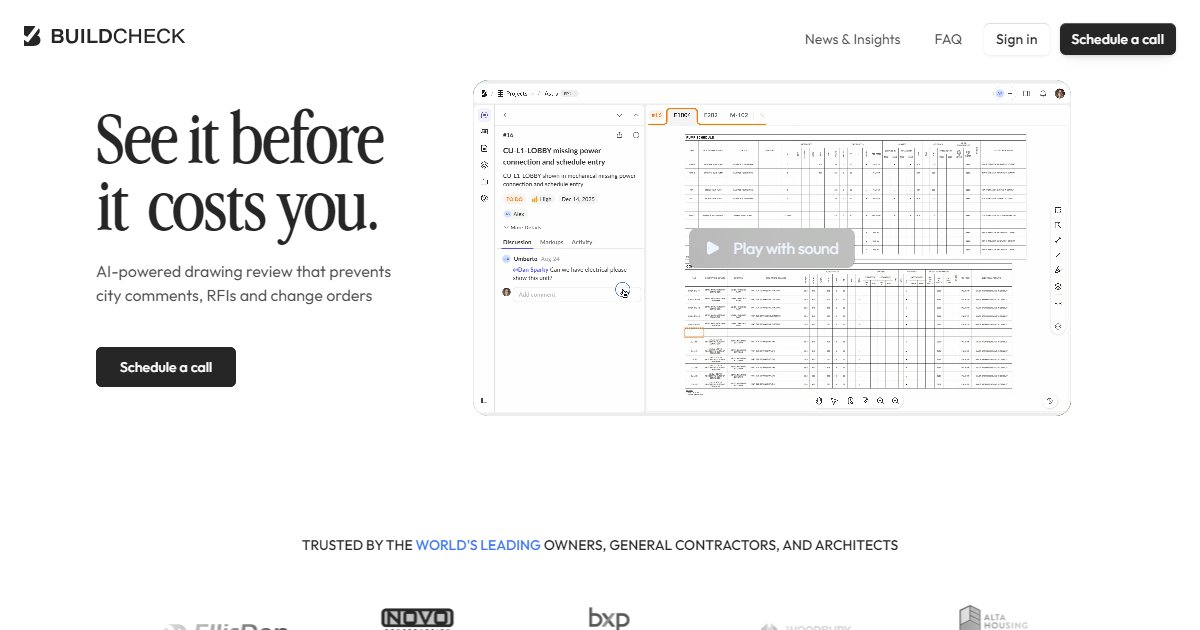
BuildCheck is a web-based construction drawing review platform that applies AI-assisted checks to design packages so teams can catch coordination gaps, missing details, and spec mismatches before permit, bid, or field impact.

Teams upload drawing sets and specifications to a secure browser workflow so reviewers can screen packages before cities, estimators, or trades rely on them. The product targets owners, general contractors, and architect-led design teams that want earlier visibility into errors that often surface as RFIs, city comments, or change orders.
On its public site, BuildCheck cites scale signals for the product, including more than thirty thousand drawings reviewed and over three billion dollars in reviewed project value, alongside claimed review outcomes such as ten-to-thirty-five times return on investment and more than fifty percent additional meaningful findings versus traditional manual reviews (BuildCheck, 2026). Those figures are self-reported marketing metrics; confirm fit and economics on a pilot before relying on them for internal business cases.
Review output is organized in the web app with severities and grouping so repetitive issues can be closed in batches rather than one line at a time. The vendor also highlights analytics views to track what is open, who owns it, and how a package matures toward a construction-ready set.
Case-style stories on the vendor site name savings in dollars and schedule days for individual clients; treat them as illustrative until you validate scope, discipline mix, and submission quality for your own projects.
Specifications
Pricing
Platforms
Used for
Used by
Tasks
Pros and cons
Pros
- Focuses on real drawing sets and specs, not only models, which matches how many jobs still issue GMP packages.
- Structured severities and grouping reduce noise when dozens of similar notes appear at once.
- Web delivery fits distributed architect, owner, and GC review teams without a heavy desktop install.
Cons
- Public pricing is not listed; you schedule sales conversations to scope jurisdictions, disciplines, and volume.
- Marketing ROI and percentage claims need independent validation on your document types and QA baseline.
- Deep BIM-native clash workflows may still live in other tools if your standard is federated models rather than sheets.
Key features
AI-assisted drawing review: Scans uploaded drawings and specs for errors, omissions, and cross-discipline inconsistencies.
200+ checks: Vendor advertises a growing catalog of criteria spanning plans, elevations, details, schedules, and specifications.
Severity and grouping: Prioritizes findings and clusters similar items so teams can resolve repeated problems in one pass.
Web-based intake: Submit packages through a secure application or vendor-assisted intake, depending on your workflow.
Collaboration: Invite teammates, assign work, and track status as issues move toward a construction-ready set.
Analytics: Summaries help leadership see backlog, throughput, and design-phase quality trends across projects.
Pricing
Enterprise (contact sales)
Contact sales
No public list price on buildcheck.ai as of 2026-04-11; verify current packaging and fees with the vendor.
Frequently asked questions
What does BuildCheck do on a construction project?
It reviews uploaded construction drawings and related specifications in a web application to flag coordination problems, missing information, and inconsistencies early. Teams use it before permit submission, pricing, or major field work so comments surface in design rather than as costly RFIs or change orders.
Is BuildCheck a BIM clash detection tool?
It is positioned as AI-assisted drawing and specification review rather than a replacement for federated 3D clash engines. If your process centers on Navisworks-style model coordination, you may still use those tools while adding BuildCheck for sheet- and spec-level checks.
How do you buy BuildCheck?
The public site asks visitors to schedule a call rather than listing standard seat prices. Expect enterprise-style scoping for portfolios, user counts, and document volumes. Confirm contract terms, data handling, and onboarding steps in writing before rollout.
Who is BuildCheck meant for?
Marketing pages emphasize owners, general contractors, and architect-led teams that want earlier QA on issued drawing packages. Preconstruction and project managers also appear in case stories where the goal is fewer surprises during pricing and construction.
Does BuildCheck work with only PDFs?
The workflow described on the vendor site centers on uploading drawings and specifications into a secure web app, which commonly means PDF or similar sheet-based deliverables. Ask the vendor which native formats, if any, they accept for a given account and how they treat revision re-submissions.
How does BuildCheck compare to a manual peer review?
The company claims its automated review can surface a higher share of meaningful issues than a traditional manual pass, plus analytics that summarize open work. You should still plan spot checks by experienced reviewers because no automated system covers every jurisdictional or craft-specific nuance.