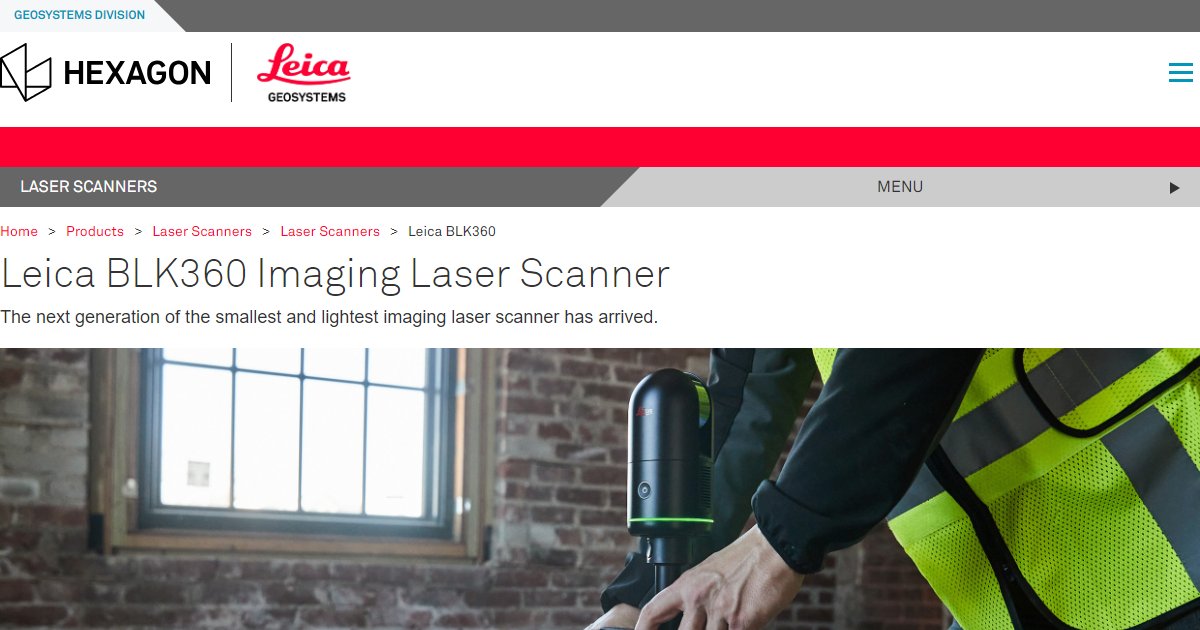
Leica BLK360 by Leica Geosystems
Leica BLK360 is a compact imaging laser scanner that captures spherical imagery and 3D point clouds for documentation and scan-to-BIM workflows, with one-button operation and wireless control from an iPad app on Leica???s published materials.

Compact scanners matter when you move between rooms, floors, and tight mechanical spaces. Leica Geosystems markets BLK360 as an imaging laser scanner with an integrated spherical imaging system, designed for fast setup and stand-alone operation (Leica BLK360 datasheet, 2020).
On Leica???s English datasheet, the instrument reports a point measurement rate up to 360,000 points per second, a 360-degree horizontal field of view and 300-degree vertical field of view, and a listed range window from 0.6 meters up to 60 meters depending on conditions (Leica BLK360 datasheet, 2020). Those figures are useful when you compare capture time and coverage against your project tolerances.
The same datasheet lists practical field constraints teams plan around: about one kilogram weight, IP54 environmental sealing for dust and splashes, and onboard storage for more than 100 setups so you are not forced to offload constantly during a busy day (Leica BLK360 datasheet, 2020).
BLK360 data is commonly used where architects, engineers, and contractors need trustworthy as-built inputs for BIM and coordination, especially when you want a repeatable capture process you can train teams to follow. Always confirm the exact BLK360 generation, firmware, and software bundle with Leica or your reseller because specifications evolve across product revisions (Leica Geosystems product pages, 2026).
Specifications
Pricing
Platforms
Used for
Used by
Tasks
Pros and cons
Pros
- Small footprint and one-kilogram weight make it practical for interior scans where larger tripods and gear slow teams down.
- Clear published numbers for point rate, range window, and environmental sealing help you align hardware choice to job tolerances.
- Tight integration with Leica???s software ecosystem is the typical path for registration and deliverables in professional workflows.
Cons
- List pricing varies by region, generation, and bundle, so procurement needs a reseller quote rather than a single public price.
- Maximum range and accuracy depend on surfaces, lighting, and settings, so always test against your project???s tolerance stack.
- Hardware workflows require trained operators and a reality-capture pipeline, not only a BIM authoring seat.
Key features
One-button capture: Stand-alone operation called out on Leica???s BLK360 datasheet for repeatable field workflows.
iPad control: Remote operation through Leica???s iPad workflow on published BLK360 materials.
Spherical imaging: Integrated spherical imaging alongside laser scanning on Leica???s product datasheet.
Thermal panorama option: Longwave infrared panoramic imaging called out on the BLK360 datasheet for certain inspection-style deliverables.
Indoor and outdoor use: Leica describes BLK360 as designed for indoor and outdoor use within stated temperature limits on its datasheet.
Wireless offload: Integrated wireless LAN for streaming and collaboration workflows on Leica???s published specifications.
Pricing
Scanner and software (quoted)
Contact sales
Leica Geosystems sells BLK360 through regional pricing and reseller bundles. Confirm hardware generation, warranty, and software seats on a formal quote.
Frequently asked questions
What point cloud rate does Leica publish for BLK360?
Leica???s English BLK360 datasheet lists a point measurement rate up to 360,000 points per second (Leica Geosystems, 2020). If you are evaluating a newer generation, ask your reseller for the datasheet that matches the exact unit you are buying.
Can I control BLK360 from an iPad?
Leica documents remote operation through an iPad app on its BLK360 datasheet, including references to supported iPad models and iOS levels on those materials. Verify the current app name and compatibility list on Leica???s site before you standardize hardware.
What range should I expect from BLK360 indoors?
Leica lists a minimum range of 0.6 meters and a maximum up to 60 meters on its BLK360 datasheet, with accuracy figures tied to distance bands (Leica Geosystems, 2020). Real performance still depends on materials, dust, and ambient light.
Is BLK360 only for buildings?
Leica positions BLK360 for many capture scenarios beyond a single building type. Teams in AEC often use it for as-built documentation and coordination deliverables, while other industries use the same hardware for different subjects.
Does BLK360 include thermal imaging?
Leica???s BLK360 datasheet describes a FLIR-based longwave infrared camera and thermal panoramic imaging in addition to the laser scan and visible spherical imagery (Leica Geosystems, 2020). Confirm whether your subscription or software bundle includes the thermal deliverables you need.
How do BLK360 scans reach Revit or BIM authoring tools?
Most firms export registered point clouds or derived models from Leica registration software or partner workflows, then link or model inside Revit based on company standards. The exact path depends on whether you deliver E57, RCP, or other formats and who owns registration QA.
Tutorials and learning
Sources
Other Reality Capture tools
- magicplanSubscription
magicplan is a mobile-first field documentation app for restoration and built-environment teams that captures LiDAR or laser-assisted floor
- MatterportFreemium
Matterport is a digital twin platform for the built environment that turns captured spatial data into immersive 3D tours, floor plans, and
- NavVisEnterprise quote
NavVis is a mobile mapping and digital twin platform that combines SLAM-based wearable and handheld laser scanners with the NavVis IVION web
- NiraPaid (trial)
Nira is a browser-based 3D collaboration platform that streams massive mesh, point cloud, Gaussian splat, and photogrammetry assets for
- OnsiteIQEnterprise quote
OnsiteIQ is a construction intelligence service for owners and developers that sends capture specialists to jobsites for weekly 360
- OpenSpaceEnterprise quote
OpenSpace is a construction visual intelligence platform that maps smartphone, 360-degree, drone, and laser scan captures to floor plans and
- Pix4DSubscription
Pix4D is a photogrammetry and drone mapping software family that turns RGB, thermal, or multispectral imagery into survey-oriented point
- PointFuseSubscription (via Autodesk)
PointFuse is legacy reality-capture desktop software that turns registered point clouds into classified mesh geometry for BIM and CAD