TruTec
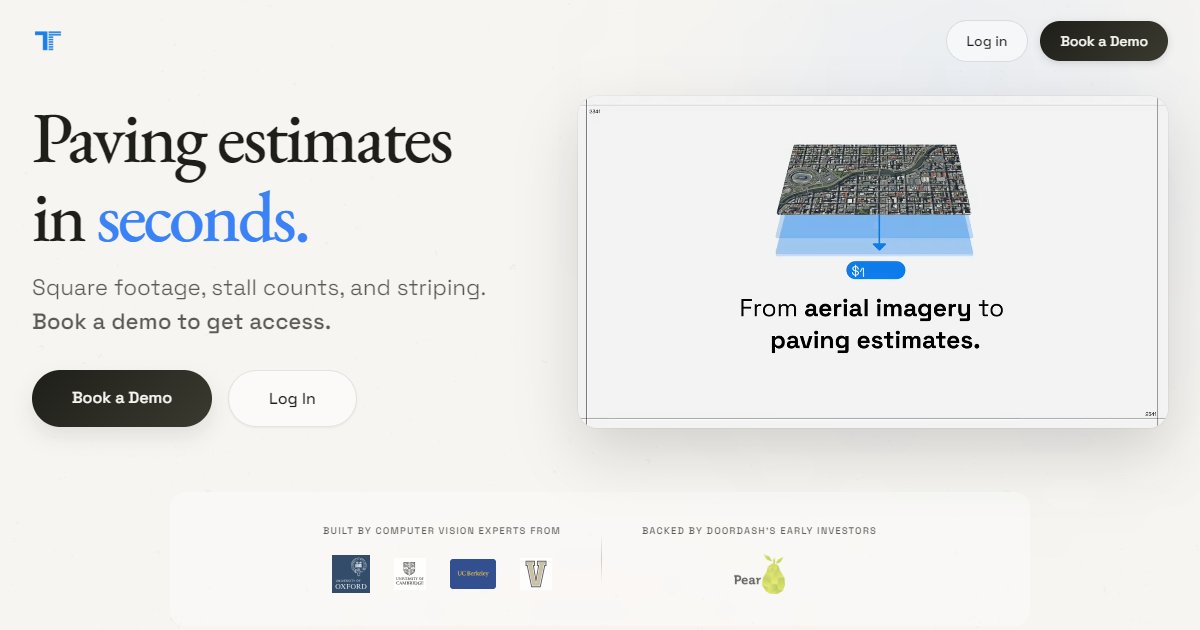
TruTec is AI-assisted paving and parking-lot takeoff software that derives square footage, stall counts, and striping from satellite or uploaded imagery, with optional field photo workflows and invoicing.

TruTec focuses on asphalt and parking-lot work: measuring square footage, counting stalls, and describing striping scope from imagery instead of hand-scaling every line. The homepage promises bid-ready outputs quickly after a user searches an address or supplies their own aerial or plan inputs.
According to the vendor FAQ, standard reports return in under sixty seconds, which sets expectations for turnaround when imagery quality and address coverage are good (TruTec, 2026). The product supports North America with high-resolution satellite imagery and allows uploads of drone photos or construction plans in PDF or image formats when off-the-shelf imagery is not enough.
Beyond takeoff, TruTec advertises a field photo workflow where crews capture site photos, the system detects damage such as cracks or faded striping, writes captions, supports annotations and measurements, and organizes images with GPS tags and project stages. A billing area describes Stripe-linked invoices and QuickBooks sync for turning estimates into payments.
A roadmap-style section mentions blueprint takeoffs as a future capability, so teams that rely heavily on PDF plan sets today should confirm current release status with the vendor and test on their typical plan quality.
Specifications
Pricing
Platforms
Used for
Used by
Tasks
Pros and cons
Pros
- Clear niche in paving and parking assets rather than general building shells
- Combines aerial takeoff with optional field imagery and billing
- Public FAQ answers regions, imagery sources, and turnaround expectations
Cons
- Blueprint automation is described as coming soon; confirm readiness for your plan-based jobs
- Heavy reliance on imagery means odd sites may need more manual input
- Subscription economics depend on bid volume; validate ROI with a pilot
Key features
Parking lot takeoff: Address-based workflow with satellite imagery plus uploads for drone and plan inputs.
Rapid reports: FAQ states sub-minute turnaround for standard measurement reports under typical conditions.
Field photos and damage detection: Crew-uploaded photos with automated damage highlighting and client-ready reporting.
Invoicing hooks: Describes Stripe payment links and QuickBooks synchronization for estimates and invoices.
Pricing
Subscription (tiered)
per year
Free
Public site references annual subscription ROI examples; confirm current tiers and prices on trutec.ai.
Frequently asked questions
What regions does TruTec support?
The FAQ states North America coverage with high-resolution satellite imagery for the United States and Canada. For other regions, the vendor allows uploaded aerials or plans, but you should confirm licensing and imagery quality for your projects.
How fast are TruTec reports generated?
The FAQ claims all reports finish in under sixty seconds in typical cases. Large or complex sites, poor imagery, or unusual layouts may take longer; run test addresses before you promise bid times to clients.
What exports does TruTec provide?
Marketing copy references high-resolution PDF exports on all plans, with Pro and Enterprise tiers adding white-label and integration options. Ask the vendor for a current feature matrix before you buy.
Does TruTec replace a paving estimator?
The tool automates measurement and documentation tasks, but pricing still depends on your labor, material, and equipment assumptions. Estimators should review outputs before submitting bids, especially on repair versus replace decisions.
Can TruTec work without satellite imagery?
Yes. The FAQ notes you can upload drone imagery or construction plans when satellite coverage or resolution is insufficient. Validate how the product handles georeferencing for uploads compared with address-based pulls.
Tutorials and learning
Other Quantity Takeoff tools
- VAWNEnterprise quote
VAWN is AI-assisted quantity takeoff and drawing QA software for MEP trades and general contractors that reads plans and schedules together,
- Autodesk AssembleEnterprise quote
Autodesk Assemble is cloud-based BIM data management software that helps construction teams condition model information for takeoff,
Autodesk Navisworks is a Windows model coordination suite that federates multidisciplinary CAD and BIM, runs clash and interference checks
- Beam AIPaid
Beam AI is a cloud quantity takeoff and construction estimating product from Attentive.ai that extracts quantities from PDF plans and specs,
- BluebeamSubscription
Bluebeam is a PDF-centric construction collaboration suite built around Bluebeam Revu on Windows plus matching web and mobile viewers,
- BobyardEnterprise quote
Bobyard is AI-assisted estimating and takeoff software for landscape contractors that counts plan symbols, measures areas and lengths, and
- BuildVisionEnterprise quote
BuildVision is an AI preconstruction platform for equipment manufacturer reps and related buyers that ingests bid packages from email and
- Civils.aiSubscription
Civils.ai is a web-based construction takeoff and document-checking workspace that reads PDF drawings and specs, runs natural-language