Arkio
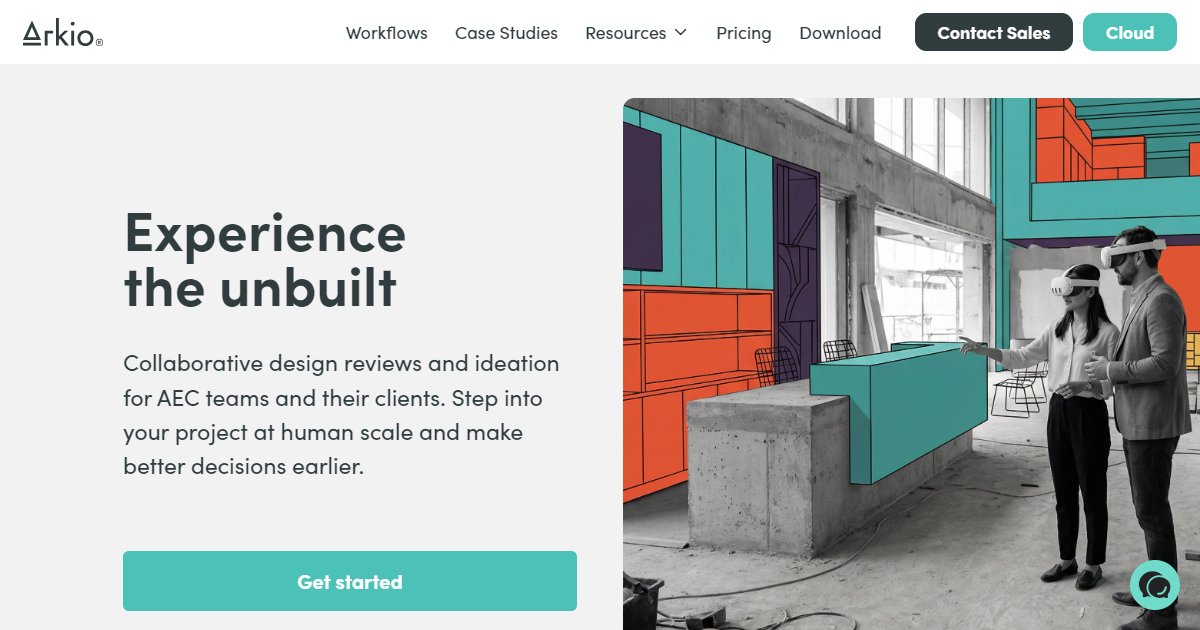
Arkio is a cross-platform XR and desktop collaboration app for AEC that imports models from Revit, Rhino, SketchUp, Archicad, and Navisworks so teams can review and sketch design options at tabletop or true 1:1 scale.

Built for architecture, engineering, and construction teams, Arkio centers on shared design reviews: you import a model, meet inside it on a headset or screen, mark issues, and export work back to common authoring tools. Export paths named on the vendor site include SketchUp, Revit, and Rhino, which keeps reviews tied to production models instead of one-off viewers.
The same workflow spans Meta Quest, SteamVR, Windows, macOS, iOS, and Android, so participants can join from whatever device they have while one license holder hosts sessions. The download area pairs the Windows build with optional exporters for Archicad, Navisworks, Revit, Rhino, and SketchUp (Arkio, 2026).
Beyond passive viewing, Arkio includes solid modeling for quick massing edits, program tagging on shapes, file history snapshots, and an AI camera that produces styled renders from spoken prompts. Mixed-reality mode on supported headsets anchors models in real rooms at full scale for client walkthroughs and on-site studies.
Typical uses include client presentations, internal coordination before documentation hardens, and early option testing when fast spatial feedback matters more than photo-real polish alone.
Specifications
Pricing
Platforms
Used for
Used by
Tasks
Pros and cons
Pros
- Imports major AEC formats with named plug-ins for five common authoring and coordination platforms.
- Runs on widely used XR hardware plus desktop and mobile for flexible attendance.
- Supports true-scale mixed reality on headsets that expose passthrough for site-context studies.
Cons
- Heavy reliance on headset hardware for the full experience.
- Pricing and license tiers need confirmation on the vendor site for your team size.
- Advanced documentation still returns to BIM authoring tools; Arkio focuses on review and ideation.
Key features
1:1 and tabletop modes: Switch between human-scale walkthroughs and table-scale study without leaving the same session.
Host integrations: Optional exporters and importers align with Archicad, Navisworks, Revit, Rhino, and SketchUp workflows described on the vendor site.
Cross-device meetings: Windows, macOS, Quest, Steam, iOS, and Android builds support mixed participant hardware.
Issue-style workflows: Capture notes and responsibilities in-session, then push updated geometry back to design tools where supported.
Solid modeling in VR: Sketch masses and options on imported models using Arkio???s native geometry tools.
AI snapshot rendering: The AI camera turns prompts and styles into stills for quick design communication.
Pricing
Commercial license
Contact sales
Arkio advertises a free tier and paid plans; confirm seats and currency on arkio.is before purchase.
Frequently asked questions
Which BIM and CAD tools connect to Arkio?
Arkio publishes plug-ins and export paths for Archicad, Navisworks, Revit, Rhino, and SketchUp. After installing the matching exporter, you send a model into Arkio for review and can bring work back where the workflow supports it.
Does Arkio run on Meta Quest?
Yes. Arkio lists a Meta Quest store build and SteamVR access for tethered headsets, plus Windows and macOS desktop clients and mobile apps for phones and tablets.
Can clients join an Arkio session for free?
Arkio markets free review participation for guests while a licensed host runs the meeting. Confirm current guest limits and commercial terms on the vendor pricing or license pages before you standardize on it.
What is Arkio???s AI camera?
It generates styled still renders from your scene using spoken prompts and preset looks so you can share quick visuals during a review without a separate offline renderer.
How does Arkio compare to desktop-only VR viewers?
Arkio combines handheld and headset interaction with in-app modeling, program tagging, and round-trip hooks to several authoring tools, whereas viewers that only orbit a model rarely support sketching, issue ownership, or export back to BIM.
Does Arkio replace clash detection software?
No. Arkio targets human-scale understanding, option sketching, and communication. Clash tests, quantity workflows, and contract deliverables still belong in your coordination and authoring stack.